• Become a Premium Member for $25/year with no ads to improve your community experience. Upgrade to Pro Account for faster response and no wait times!

GUIDE [HELP WANTED] Reboot after Apple logo with progress bar

Sudoceo

New member
Joined
Nov 28, 2025
Messages
4
Motherboard
MSI B550 Tomahawk Max Wifi
CPU
Ryzen 7 5700x
Graphics
Msi RX 6800 XT
Bootloader
  1. OpenCore (UEFI)
Mobile Phone
  1. Android
Hi there! I have created EFI folder with help of OpCore-Simplify. And now I have a problem, after selecting OpenCore(dmg) option there is some boot output and then Apple logo with progress bar appears, after couple of seconds (1-3) my pc just restarts. MacOS version is 26 Tahoe My build:
Ryzen 7 5700X
MSI B550 tomahawk max wifi
RX 6800 XT
Kingston fury 2x16 3600 16cl
Kingstone KC3000 2TB
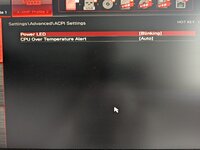
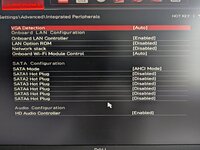
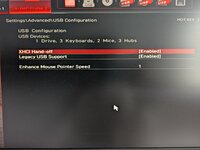
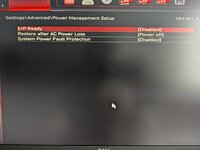
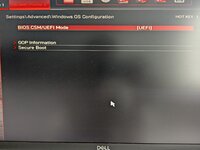
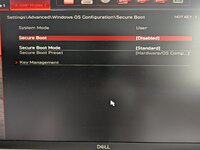
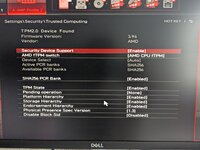
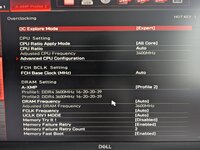
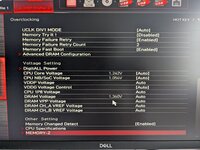
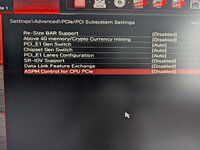
Some bios info:
I have secure boot turned OFF, SVM mode ON, Re-Size BAR Support ON, Above 4G memory/Crypto Currency Mining ON
 
Last edited:
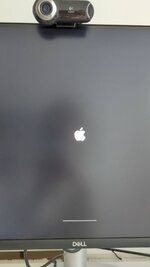
Here is my EFI folder and screenshot
 

Attachments

  • EFI.zip
    EFI.zip
    6.3 MB · Views: 2
  • signal-2025-11-28-125517_004.jpeg
    signal-2025-11-28-125517_004.jpeg
    39.2 KB · Views: 1
Last edited:
Hi there! I have created EFI folder with help of OpCore-Simplify. And now I have a problem, after selecting OpenCore(dmg) option there is some boot output and then Apple logo with progress bar appears, after couple of seconds (1-3) my pc just restarts. MacOS version is 26 Tahoe My build:
Ryzen 7 5700X
MSI B550 tomahawk max wifi
RX 6800 XT
Kingston fury 2x16 3600 16cl
Kingstone KC3000 2TB
Some bios info:
I have secure boot turned OFF, SVM mode ON, Re-Size BAR Support ON, Above 4G memory/Crypto Currency Mining ON
Your EFI is not as per the guide and the problems are expected.

Here are a few issues:

- Remove ResetLogoStatus
- Remove FixupAppleEfiImages
- Set Re-Size BAR to Disabled/OFF and set the ResizeAppleGpuBars to -1.
- CtlnaAHCIPort.kext shouldn't be needed with your setup.
- You should remove CustomSMBIOSGuid and set the UpdateSMBIOS to Create.
- You should remove NootRX as 6800XT is supported OOTB.
- You should consider enabling verbose to show output to trace the issue.

Once you're done with the changes, save your config.plist. Restart the system and reset NVRAM twice. Attach the new PR files.
 
Thanks for your help! I followed your instructions, and the behavior changed slightly, but the system still won't boot. I also attached an archive with a photo showing the last logs, after which the system reboots and hangs with a black screen. I waited about 8 minutes, but nothing changed.
 

Attachments

Thanks for your help! I followed your instructions, and the behavior changed slightly, but the system still won't boot. I also attached an archive with a photo showing the last logs, after which the system reboots and hangs with a black screen. I waited about 8 minutes, but nothing changed.
What's the GPU brand?
 

Forum statistics

Threads
2,148
Messages
19,863
Members
30,370
Latest member
sdfsad