• Become a Premium Member for $25/year with no ads to improve your community experience. Upgrade to Pro Account for faster response and no wait times!

  • We regret to inform you that our server had an unexpected catastrophic failure and we lost the recent backups as well. The last healthy backups was restored of February 24, 2025. Members who have already registered, please consider a reregistration. Once re-registered, the memberships will be restored for those who have purchased a membership. We'll continue to monitor and send emails to assist you to have you onboard. Any inconvenience is highly regretted. Thank you for your continued support and participations.

    Sincerely, EliteMacx86

SOLVED Open core and Monterey Installation problems

Status
Not open for further replies.
ok i followed the guide. my motherboard does not have hdmi but only vga, how do i insert it in the properties device of the igpu card?
There you go. VGA isn't supported.
 
There you go. VGA isn't supported.
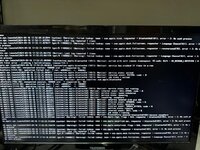
could you still tell me the problem of the errors that I attached in the image? through a guide I managed to insert the vga as displayport and it works but I don't understand these loop errors that come out related to bluethootd and language
 
could you still tell me the problem of the errors that I attached in the image? through a guide I managed to insert the vga as displayport and it works but I don't understand these loop errors that come out related to bluethootd and language
Which image?
 
Se si utilizza un display non supportato, nonostante l'EFI sia compilato correttamente, il display non si accenderà mai e si bloccherà su diverse linee casuali.
e cosa posso fare se il mio principale non ha HDMI? Il mio monitor ha HDMI ma il mio principale no. Come posso risolvere questo problema?
 
English only!
sorry.
and what can i do if my main one doesn't have HDMI? My monitor has HDMI but my main one doesn't. How can i fix this?
 
sorry.
and what can i do if my main one doesn't have HDMI? My monitor has HDMI but my main one doesn't. How can i fix this?
Simply. use the monitor that has HDMI and complete the installation with that.
 
Status
Not open for further replies.

Latest posts

Forum statistics

Threads
1,935
Messages
17,954
Members
27,705
Latest member
zerockr