• Become a Premium Member for $25/year with no ads to improve your community experience. Upgrade to Pro Account for faster response and no wait times!

  • We regret to inform you that our server had an unexpected catastrophic failure and we lost the recent backups as well. The last healthy backups was restored of February 24, 2025. Members who have already registered, please consider a reregistration. Once re-registered, the memberships will be restored for those who have purchased a membership. We'll continue to monitor and send emails to assist you to have you onboard. Any inconvenience is highly regretted. Thank you for your continued support and participations.

    Sincerely, EliteMacx86

Intel HD 4400 not working on Monterey

Status
Not open for further replies.
Are you using a SATA SSD or M.2/NVMe? Also, if you're booting to installer, how can you determine whether Graphics acceleration is working or not?
I am using SATA SSD. I can determine if my graphics are working as if it is not the resolution will be 1024x768 which is screeched resolution and if it fixed it will go to my native display resolution which is 1600x900
 
I am using SATA SSD.
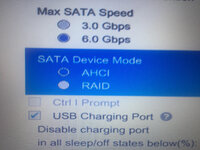
Make sure the SATA Mode is set to AHCI in BIOS. If already, use "CtlnaAHCIPort" kext.
I can determine if my graphics are working as if it is not the resolution will be 1024x768 which is screeched resolution and if it fixed it will go to my native display resolution which is 1600x900
Still, not a proper way to determine acceleration.
 
Make sure the SATA Mode is set to AHCI in BIOS. If already, use "CtlnaAHCIPort" kext.

Still, not a proper way to determine acceleration.
LET ME CHECK IN BIOS
IT should be accelerated if its not we can fix that in the future.
 
Nope no change it still not showing.
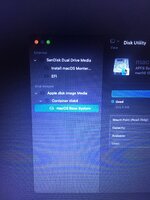
EFI👆.Please say if there is any error and I should change anything. Please and thank you
IMG-1811.JPG
 
Nope no change it still not showing.
EFI👆.Please say if there is any error and I should change anything. Please and thank you
View attachment 4196
Your configuration is not correct. For the current issue, the CtlnaAHCIPort.kext should be loaded after AppleALC, as your current config.plist. Also, make sure to reset NVRAM twice after the changes. In addition, are you sure if your drive is functional?
 
Your configuration is not correct. For the current issue, the CtlnaAHCIPort.kext should be loaded after AppleALC, as your current config.plist. Also, make sure to reset NVRAM twice after the changes. In addition,
So I should put the ctlnaAHCIPort.kext just after AppleALC AND then reset NVRAM twice.
are you sure if your drive is functional?
Yes my SSD is functional as i am booting windows through it :)
 
Status
Not open for further replies.

Latest posts

Forum statistics

Threads
1,948
Messages
18,016
Members
27,807
Latest member
pomchik_games