• Become a Premium Member for $25/year with no ads to improve your community experience. Upgrade to Pro Account for faster response and no wait times!

  • We regret to inform you that our server had an unexpected catastrophic failure and we lost the recent backups as well. The last healthy backups was restored of February 24, 2025. Members who have already registered, please consider a reregistration. Once re-registered, the memberships will be restored for those who have purchased a membership. We'll continue to monitor and send emails to assist you to have you onboard. Any inconvenience is highly regretted. Thank you for your continued support and participations.

    Sincerely, EliteMacx86
Hi without the header cable it is the same thing :-( no difference . Tried to export IOreg again . ( attached )
Use IOReg v2
 
Ok done I made the file with IOREG v2 ! Hope it works now for you
 

Attachments

Last edited:
Ok done I made the file with IOREG v2 ! Hope it works now for you
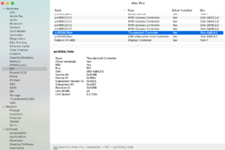
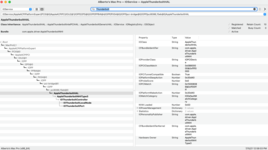
As per IOReg, the TB Device is working. However, the SSDT, is still not paired/activated. Is your concern about Focusrite?
 
Well both of them right now. As it is Mac OS won't see them in the first boot. I have reboot in order to MacOS see them both.

If I turn the TB boot support setting in BIOS they boot the first time BUT the Universal Audio throw an error ( -38 ).

So I just need/want them to boot the first time and get rid of the reboot thing every time I turn on the system.

Thanks
 
No PR files attached. Note that you need to use Hotplug SSDT for full functionality.
I am working on getting you the files, as I do, any idea if that would that affect what is shown on the Thunderbolt list?
 
I am working on getting you the files, as I do, any idea if that would that affect what is shown on the Thunderbolt list?
Here is the data:


Details:
1. Thunderbolt Chip and Family: GC-Titan ridge
2. Thunderbolt Vendor/Manufacturer: Gigabyte
3. Thunderbolt Type (Onboard or AIC): Onboard
4. Thunderbolt AIC PCI Slot Location: Slot 4
5. THB_C header Availability: None in the motherboard of the Mac pro 5.1
6. TB BIOS Settings Availability: None to my knowledge
7. Motherboard Model: Mac Pro 5.1 Native board
8. CPU Model: 2 x 2.4 GHz Quad-Core Intel Xeon
9. macOS version: Big Sur 11.2.3

not sure I understand how to pull the kext data all I get is:

beto@Albertos-Mac-Pro ~ % sudo kextcache -i/ kextcache -i/ Executing: /usr/bin/kmutil install --volume-root / --check-rebuild rebuilding local auxiliary collection kmutil done beto@Albertos-Mac-Pro ~ %
 

Attachments

  • Screen Shot 2021-07-15 at 12.58.28 PM.png
    Screen Shot 2021-07-15 at 12.58.28 PM.png
    133 KB · Views: 83
  • OC.zip
    OC.zip
    3.2 MB · Views: 74
  • Screen Shot 2021-07-15 at 12.58.05 PM.png
    Screen Shot 2021-07-15 at 12.58.05 PM.png
    156 KB · Views: 84
Well both of them right now. As it is Mac OS won't see them in the first boot. I have reboot in order to MacOS see them both.

If I turn the TB boot support setting in BIOS they boot the first time BUT the Universal Audio throw an error ( -38 ).

So I just need/want them to boot the first time and get rid of the reboot thing every time I turn on the system.

Thanks
Adjust your BIOS Settings and create a Hotplug SSDT and you're set.
 
Here is the data:


Details:
1. Thunderbolt Chip and Family: GC-Titan ridge
2. Thunderbolt Vendor/Manufacturer: Gigabyte
3. Thunderbolt Type (Onboard or AIC): Onboard
4. Thunderbolt AIC PCI Slot Location: Slot 4
5. THB_C header Availability: None in the motherboard of the Mac pro 5.1
6. TB BIOS Settings Availability: None to my knowledge
7. Motherboard Model: Mac Pro 5.1 Native board
8. CPU Model: 2 x 2.4 GHz Quad-Core Intel Xeon
9. macOS version: Big Sur 11.2.3

not sure I understand how to pull the kext data all I get is:

beto@Albertos-Mac-Pro ~ % sudo kextcache -i/ kextcache -i/ Executing: /usr/bin/kmutil install --volume-root / --check-rebuild rebuilding local auxiliary collection kmutil done beto@Albertos-Mac-Pro ~ %
Incomplete PR files attached. IOReg is missing.
 
Incomplete PR files attached. IOReg is missing.
Not sure how to get that so I did a save as on IORegistryExplorer, hope it works, thanks for your help mate
 

Attachments

Ok now im really lost lol :-( .Thats what ive trying to do with no success thats why i wroted here. I've uploaded the SSDT i made cause i dont know whats wrong on it. Like i said with that SSDT the system wont complete the boot prpcess . It stays just before starting to load the prograss bar at the apple logo screen.

Can you tell me please what im missing doing the SSDT hotplug ? Dont know if its me but something i dont get clear on the guide with thse slots section. Or what is the cost for your help ?

Thanks
 

Latest posts

Forum statistics

Threads
1,948
Messages
18,016
Members
27,807
Latest member
pomchik_games