• Become a Premium Member for $25/year with no ads to improve your community experience. Upgrade to Pro Account for faster response and no wait times!

  • We regret to inform you that our server had an unexpected catastrophic failure and we lost the recent backups as well. The last healthy backups was restored of February 24, 2025. Members who have already registered, please consider a reregistration. Once re-registered, the memberships will be restored for those who have purchased a membership. We'll continue to monitor and send emails to assist you to have you onboard. Any inconvenience is highly regretted. Thank you for your continued support and participations.

    Sincerely, EliteMacx86

Intel HD 4400 not working on Monterey

Status
Not open for further replies.
This isn't a "perfect EFI", maybe as per you only.

The following changes are needed.

- Remove first and second ACPI rename
- Remove ECEnabler.kext
- The sorting order for kexts are not correct. Use the guide to fix the sorting order
- Scan Policy should be set to 0
- AllowToggleSip will be set to false
- Add "-" before wegnoegpu boot arg
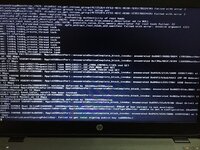
Nope now it is stuck (Photo pined)
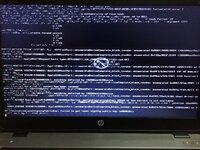
Then it shows a error logo (photo pined)
Ill pin the EFI too.
EFI
STUCK.jpeg Error logo.jpeg
 
No same error :(
EFI
Disable USB renames and WiFi/BT Kexts to check with. Make sure you're resetting NVRAM twice each time after implementing the changes. Also, are you booting into the installer?
 
Disable USB renames and WiFi/BT Kexts to check with. Make sure you're resetting NVRAM twice each time after implementing the changes. Also, are you booting into the installer?
It did boot but the SSD is again not showing up :(
EFI
 
It did boot but the SSD is again not showing up :(
EFI
Do you have Windows installed on this? Also, what's your exact Laptop model no.? Fix your profile.
 
Do you have Windows installed on this? Also, what's your exact Laptop model no.? Fix your profile.
Yes I have installed Windows and macOS BigSur dualbooted (Windows EFI partition is different).
 
Yes I have installed Windows and macOS BigSur dualbooted (Windows EFI partition is different).
Boot to Windows. From Device Manager, Expand SATA/RAID Controllers.
Go to Properties, and then go to Details Tab. Select Hardware ID and provide a screenshot.

What's your exact Laptop model no.?
 
Status
Not open for further replies.

Latest posts

Forum statistics

Threads
1,948
Messages
18,016
Members
27,807
Latest member
pomchik_games