• Become a Premium Member for $25/year with no ads to improve your community experience. Upgrade to Pro Account for faster response and no wait times!

  • We regret to inform you that our server had an unexpected catastrophic failure and we lost the recent backups as well. The last healthy backups was restored of February 24, 2025. Members who have already registered, please consider a reregistration. Once re-registered, the memberships will be restored for those who have purchased a membership. We'll continue to monitor and send emails to assist you to have you onboard. Any inconvenience is highly regretted. Thank you for your continued support and participations.

    Sincerely, EliteMacx86

instalation monterey on acer aspiere e1 572g

stick with mojave as you know that works?
on mojave my touchpad works only partialy i can only move cursor but not click

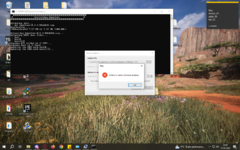
im trying to do this your way but 1684357657614.png
 
on mojave my touchpad works only partialy i can only move cursor but not click

im trying to do this your way but View attachment 5852
also, what makes you think your trackpad will work any better?

make sure your kexts are listed in order in your config.plist properly ie:

Code:
<dict>
                <key>Arch</key>
                <string>Any</string>
                <key>BundlePath</key>
                <string>VoodooPS2Controller.kext</string>
                <key>Comment</key>
                <string>Touchpad</string>
                <key>Enabled</key>
                <true/>
                <key>ExecutablePath</key>
                <string>Contents/MacOS/VoodooPS2Controller</string>
                <key>MaxKernel</key>
                <string></string>
                <key>MinKernel</key>
                <string></string>
                <key>PlistPath</key>
                <string>Contents/Info.plist</string>
            </dict>
            <dict>
                <key>Arch</key>
                <string>Any</string>
                <key>BundlePath</key>
                <string>VoodooPS2Controller.kext/Contents/Plugins/VoodooPS2Keyboard.kext</string>
                <key>Comment</key>
                <string>Touchpad</string>
                <key>Enabled</key>
                <true/>
                <key>ExecutablePath</key>
                <string>Contents/MacOS/VoodooPS2Keyboard</string>
                <key>MaxKernel</key>
                <string></string>
                <key>MinKernel</key>
                <string></string>
                <key>PlistPath</key>
                <string>Contents/Info.plist</string>
            </dict>
            <dict>
                <key>Arch</key>
                <string>Any</string>
                <key>BundlePath</key>
                <string>VoodooPS2Controller.kext/Contents/Plugins/VoodooPS2Mouse.kext</string>
                <key>Comment</key>
                <string>Touchpad</string>
                <key>Enabled</key>
                <true/>
                <key>ExecutablePath</key>
                <string>Contents/MacOS/VoodooPS2Mouse</string>
                <key>MaxKernel</key>
                <string></string>
                <key>MinKernel</key>
                <string></string>
                <key>PlistPath</key>
                <string>Contents/Info.plist</string>
            </dict>
<dict>
                <key>Arch</key>
                <string>Any</string>
                <key>BundlePath</key>
                <string>VoodooPS2Controller.kext/Contents/Plugins/VoodooPS2Trackpad.kext</string>
                <key>Comment</key>
                <string>Touchpad</string>
                <key>Enabled</key>
                <true/>
                <key>ExecutablePath</key>
                <string>Contents/MacOS/VoodooPS2Trackpad</string>
                <key>MaxKernel</key>
                <string></string>
                <key>MinKernel</key>
                <string></string>
                <key>PlistPath</key>
                <string>Contents/Info.plist</string>
            </dict>
            <dict>
                <key>Arch</key>
                <string>Any</string>
                <key>BundlePath</key>
                <string>VoodooPS2Controller.kext/Contents/Plugins/VoodooInput.kext</string>
                <key>Comment</key>
                <string>Touchpad</string>
                <key>Enabled</key>
                <true/>
                <key>ExecutablePath</key>
                <string>Contents/MacOS/VoodooInput</string>
                <key>MaxKernel</key>
                <string></string>
                <key>MinKernel</key>
                <string></string>
                <key>PlistPath</key>
                <string>Contents/Info.plist</string>
            </dict>
 
also, what makes you think your trackpad will work any better?
in monterey instaler works like it should i can clik not only move
run with admin privilege
it is runned with admin privilege


ok now i need go to sleep i will keep trying tomorow
 
make sure your kexts are listed in order in your config.plist properly ie:
maybe im wrong but as far as i see this need to be only on OC not in clove

im give up with this sorry for bothering you guys
 
Last edited:
maybe im wrong but as far as i see this need to be only on OC not in clove

im give up with this sorry for bothering you guys
from your image above, you are using opencore as a boot loader which is why i said about kext order
 
I have one more problem with mojave the laptop does not turn off completely it looks like it is complety off but the hard drive led is still on
 
I have one more problem with mojave the laptop does not turn off completely it looks like it is complety off but the hard drive led is still on
Have you've found a solution for this?
 
I have one more problem with mojave the laptop does not turn off completely it looks like it is complety off but the hard drive led is still on
 

Latest posts

Forum statistics

Threads
1,948
Messages
18,016
Members
27,807
Latest member
pomchik_games