• Become a Premium Member for $25/year with no ads to improve your community experience. Upgrade to Pro Account for faster response and no wait times!

  • We regret to inform you that our server had an unexpected catastrophic failure and we lost the recent backups as well. The last healthy backups was restored of February 24, 2025. Members who have already registered, please consider a reregistration. Once re-registered, the memberships will be restored for those who have purchased a membership. We'll continue to monitor and send emails to assist you to have you onboard. Any inconvenience is highly regretted. Thank you for your continued support and participations.

    Sincerely, EliteMacx86

HP ProDesk 400 G3 DM installation issues

Attachments

  • EFI.zip
    EFI.zip
    4 MB · Views: 5
  • opencore-2024-01-20-141351.txt
    opencore-2024-01-20-141351.txt
    256 KB · Views: 2
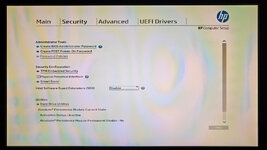
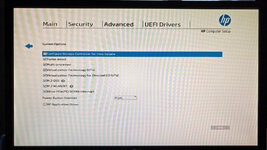
  • uefi1.jpg
    uefi1.jpg
    90 KB · Views: 19
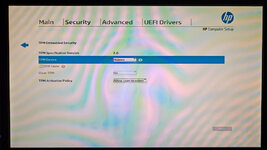
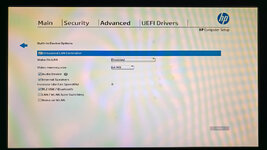
  • uefi2.jpg
    uefi2.jpg
    94.8 KB · Views: 14
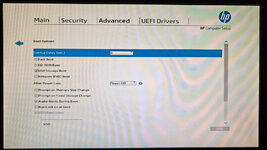
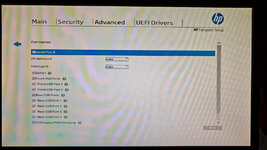
  • uefi3.jpg
    uefi3.jpg
    113.5 KB · Views: 12
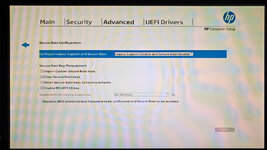
  • uefi4.jpg
    uefi4.jpg
    104.9 KB · Views: 12
  • uefi5.jpg
    uefi5.jpg
    127.5 KB · Views: 12
  • uefi6.jpg
    uefi6.jpg
    94 KB · Views: 10
  • uefi7.jpg
    uefi7.jpg
    108.8 KB · Views: 15
Your system doesn't have USB Audio. So, remove AppleALCU.kext and use AppleALC.

Attach a verbose video after resetting NVRAM.
 

Attachments

Are you running the latest BIOS?

What macOS version are you trying to install?
Absolutely. The latest is 2.48.

I tried Monterey and Ventura latest available images. I have no clue how can I check the exact build numbers outside the system.
 
Absolutely. The latest is 2.48.

I tried Monterey and Ventura latest available images. I have no clue how can I check the exact build numbers outside the system.
Remove the Device Property and also remove the igfxvesa flag. Reset NVRAM twice and then check.
 

Attachments

No. Sadly nothing changed.
The installer can be corrupt. Try to download a fresh Recovery image and then try. Try a different USB Flash Drive. If you have option to use a Offline installer, try that. If nothing works out, try to reset BIOS and then adjust the settings again. If it does not work, try to rollback the BIOS and then check. If all fails, join us on Discord.
 

Latest posts

Forum statistics

Threads
1,948
Messages
18,016
Members
27,807
Latest member
pomchik_games