• Become a Premium Member for $25/year with no ads to improve your community experience. Upgrade to Pro Account for faster response and no wait times!

  • We regret to inform you that our server had an unexpected catastrophic failure and we lost the recent backups as well. The last healthy backups was restored of February 24, 2025. Members who have already registered, please consider a reregistration. Once re-registered, the memberships will be restored for those who have purchased a membership. We'll continue to monitor and send emails to assist you to have you onboard. Any inconvenience is highly regretted. Thank you for your continued support and participations.

    Sincerely, EliteMacx86
Thank you for your great work. However, I followed the tutorial to install on my Lenovo ThinkPad T14s Gen 4 laptop:

AMD Ryzen 5 PRO 7540U w/ Radeon 740M Graphics, 3201 MHz, 6 core(s), 12 logical processor(s)

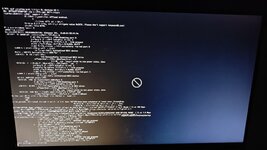
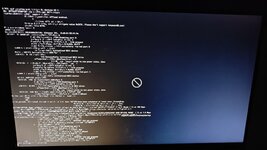
When I boot from the USB key, I select sonoma installation but then I have a crossed out logo with apple.com/support.

Do you have an idea ?

Thanks
 
Thank you for your great work. However, I followed the tutorial to install on my Lenovo ThinkPad T14s Gen 4 laptop:

AMD Ryzen 5 PRO 7540U w/ Radeon 740M Graphics, 3201 MHz, 6 core(s), 12 logical processor(s)

When I boot from the USB key, I select sonoma installation but then I have a crossed out logo with apple.com/support.

Do you have an idea ?

Thanks
Use GenericUSBXHCI from the downloads.
 
Not booting showing failed to boot exiting code 0, keep restarting to boot option
 
Not booting showing failed to boot exiting code 0, keep restarting to boot option
Attach the EFI you're using to boot.
 
1000091739.jpg i followed the all the steps but it's over here showing this please help me to boot
 

Attachments

  • IMG20240224032623.jpg
    IMG20240224032623.jpg
    3.3 MB · Views: 0

Trending content

Forum statistics

Threads
1,926
Messages
17,854
Members
27,670
Latest member
Abdel11