• Become a Premium Member for $25/year with no ads to improve your community experience. Upgrade to Pro Account for faster response and no wait times!

  • We regret to inform you that our server had an unexpected catastrophic failure and we lost the recent backups as well. The last healthy backups was restored of February 24, 2025. Members who have already registered, please consider a reregistration. Once re-registered, the memberships will be restored for those who have purchased a membership. We'll continue to monitor and send emails to assist you to have you onboard. Any inconvenience is highly regretted. Thank you for your continued support and participations.

    Sincerely, EliteMacx86

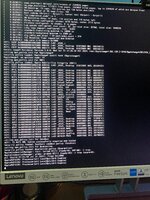
Stuck on AppleACPICPU Processor ID

didinwahyudin

New member
Joined
Oct 26, 2024
Messages
3
Motherboard
ASUS D340MC H310M
CPU
I3 - 9100F
Graphics
Shapire Nitro RX 580 4GB
OS X/macOS
14.x
Bootloader
  1. OpenCore (UEFI)
Mac
  1. iMac
Mobile Phone
  1. iOS
Hello, I'm trying to boot on macOS Sonoma installer with the following hardware:

MOBO : ASUS D340MC H310M
CPU : I3 - 9100F
GPU : Shapire Nitro RX 580 4GB
Ram : XPG 8x2 16GB 3200Mhz
SSD : NVME 25GB

BIOS Setting
Fastboot Disable
VT-D diaable
Serial Port Disable
Pararel Port Disable
CSM Disable
Secure Boot Disable

I followed the Dortania Intel Desktop Guide (https://dortania.github.io/OpenCore-Install-Guide/config.plist/coffee-lake.html) to the letter.

I've changed between virtualsmc and fakesmc but the results are still the same

EFI folder, config.plist and photo of where I'm stuck are attached.

sorry for bad english
 

Attachments

Hello,
Turn on Above 4G decoding in bios and disable npci=0x2000/0x3000
This helped for me.
 
Hello, I'm trying to boot on macOS Sonoma installer with the following hardware:

MOBO : ASUS D340MC H310M
CPU : I3 - 9100F
GPU : Shapire Nitro RX 580 4GB
Ram : XPG 8x2 16GB 3200Mhz
SSD : NVME 25GB

BIOS Setting
Fastboot Disable
VT-D diaable
Serial Port Disable
Pararel Port Disable
CSM Disable
Secure Boot Disable

I followed the Dortania Intel Desktop Guide (https://dortania.github.io/OpenCore-Install-Guide/config.plist/coffee-lake.html) to the letter.

I've changed between virtualsmc and fakesmc but the results are still the same

EFI folder, config.plist and photo of where I'm stuck are attached.

sorry for bad english
Why are you using EnableWriteUnprotector and RebuildAppleMemoryMap together?

Disable EnableWriteUnprotector and use RebuildAppleMemoryMap.
Switch to VirtualSMC.

Save changes and reset NVRAM and then try to boot again.
 
look this EFI
 

Attachments

Why are you using EnableWriteUnprotector and RebuildAppleMemoryMap together?

Disable EnableWriteUnprotector and use RebuildAppleMemoryMap.
Switch to VirtualSMC.

Save changes and reset NVRAM and then try to boot again.
oke sir i will try
 

Trending content

Forum statistics

Threads
1,926
Messages
17,854
Members
27,670
Latest member
Abdel11