• Become a Premium Member for $25/year with no ads to improve your community experience. Upgrade to Pro Account for faster response and no wait times!

[SOLVED] AppleACPIPlatform Kernel Panic while running macOS Big Sur installer on X79 Motherboard

Status
Not open for further replies.

jr3k

New member
Joined
Nov 23, 2020
Messages
19
Motherboard
Asus P9X79 Pro
CPU
Intel Core i7-3930K
Graphics
NVIDIA GeForce GTX 680
OS X/macOS
10.14.x
Bootloader
  1. OpenCore (UEFI)
Mobile Phone
  1. Android
  2. iOS
I am trying to upgrade my Catalina 10.15.7 to Big Sur, or even get a fresh install.
My system works fine with opencore 0.6.3. Everything seems to be working fine, audio, ethernet, video, etc.

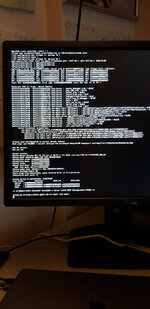
My problem happens when I try the Install macOS Big Sur option in the USB. After a little bit it stops at the error shown below.

If anyone could have any ideas on how to solve this I really appreciate.

I am attaching a photo of the error and my EFI folder

Thanks
 

Attachments

I am trying to upgrade my Catalina 10.15.7 to Big Sur, or even get a fresh install.
My system works fine with opencore 0.6.3. Everything seems to be working fine, audio, ethernet, video, etc.

My problem happens when I try the Install macOS Big Sur option in the USB. After a little bit it stops at the error shown below.

If anyone could have any ideas on how to solve this I really appreciate.

I am attaching a photo of the error and my EFI folder

Thanks
There's a KP due to AppleACPIPlatform.
Install SSDT-EC0 or add a rename in your config.plist.
 
Thanks for replying, but I have added a rename in my config and the error seems the same
 

Attachments

  • 20201124_002210.jpg
    20201124_002210.jpg
    1.5 MB · Views: 479
  • config.plist.zip
    config.plist.zip
    5 KB · Views: 199
Thanks for replying, but I have added a rename in my config and the error seems the same
Fill out the details in your profile.

The KP is due to the PR00 in your DSDT. You need to remove the DSDT and it should boot fine.
 
I am not sure I know how to do that. Thanks anyway.
 
I am not sure I know how to do that. Thanks anyway.
Just uncheck the "DSDT" in your config.plist in the ACPI section.
 
Thanks for your patience.
This is what I have done:
- uncked DSDT
- on reboot, reset nvram
- select the Big sur install

The machine will reboot on its own.
 
Thanks for your patience.
This is what I have done:
- uncked DSDT
- on reboot, reset nvram
- select the Big sur install

The machine will reboot on its own.
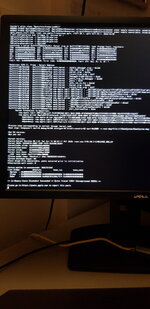
Probably, there's a KP. You need to attach a picture like your first post.
 
Here it is ..seems the same
 

Attachments

  • 20201125_200838.jpg
    20201125_200838.jpg
    1.4 MB · Views: 490
Here it is ..seems the same
Add the following patch in your ACPI section under patch.

Name: UNC0 _HID to XHID
Find: 554E43 30085F48 4944
Replace: 554E43 30085848 4944
 
Status
Not open for further replies.

Forum statistics

Threads
2,151
Messages
19,880
Members
30,408
Latest member
scoobypetey