• Become a Premium Member for $25/year with no ads to improve your community experience. Upgrade to Pro Account for faster response and no wait times!

  • We regret to inform you that our server had an unexpected catastrophic failure and we lost the recent backups as well. The last healthy backups was restored of February 24, 2025. Members who have already registered, please consider a reregistration. Once re-registered, the memberships will be restored for those who have purchased a membership. We'll continue to monitor and send emails to assist you to have you onboard. Any inconvenience is highly regretted. Thank you for your continued support and participations.

    Sincerely, EliteMacx86
Finally generated the file! Here it is. 🙂
Well, i don't understand what's going on and why are you not able to understand and follow the guide? Still, the config.plist is not upto the mark as per the guide.
 
  • Sad
Reactions: Chucksmmadu
Sorry i didn't realize i must use the config.plist the way it is i will upload it when i certify that there are no modifications to it 😔
 
Sorry i didn't realize i must use the config.plist the way it is i will upload it when i certify that there are no modifications to it 😔
Sure!
 
  • Love
Reactions: Chucksmmadu
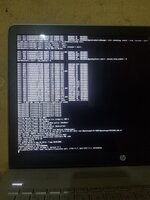
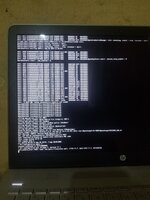
I followed the guide, reinstalled clover from scratch. I couldn't boot with the fresh install so i attached a photo and my EFI folder i booted with usb and compressed it using the hackintosh. :) it's worth mentioning that the config.plist for native kabylake support don't have the "-v" boot arg and i added it. [It's the only modification i made to the config.plist file.] 20191124_204437.jpg
 

Attachments

it's worth mentioning that the config.plist for native kabylake support don't have the "-v" boot arg and i added it.
Well, it's normal.
Your files are big. Looks like you didn't followed the guide.
Read here:

You must omit the unnecessary folders as mentioned.
 
  • Like
Reactions: Chucksmmadu
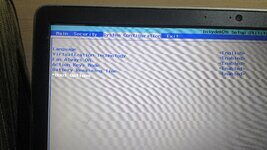
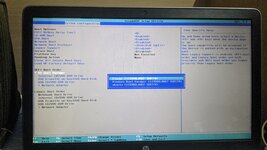
I have recreated the problem reporting file as per the guide! 😔 20191124_204437.jpg IMG_20191125_162053.jpg IMG_20191125_164556.jpg
 

Attachments

Thanks for helping me get this far... Sorry i'm very slow at replying... 'Pains of living in a place with poor electricity 😑' After using USB to boot and enable the change EC0 to EC, I got stuck at the aople logo that appears after the verbos logs... Which is caused by my wifi card dw1820a i guess since i haven't patched it yet... Since i don't have my screw driver to remove the wifi card, what do I do now?
 
Thanks for helping me get this far... Sorry i'm very slow at replying... 'Pains of living in a place with poor electricity 😑' After using USB to boot and enable the change EC0 to EC, I got stuck at the aople logo that appears after the verbos logs... Which is caused by my wifi card dw1820a i guess since i haven't patched it yet... Since i don't have my screw driver to remove the wifi card, what do I do now?
No error screenshots attached. Attach the error screenshots in a .zip file.
 
Sorry i didn't attch any screenshot previously because i only made the change you told me to make and i successfully passed the verbos stage and I'm currently stuck at the apple logo... Ok i will attach my problem reporting file again. using USB to boot
 

Latest posts

Forum statistics

Threads
1,948
Messages
18,016
Members
27,807
Latest member
pomchik_games