• Become a Premium Member for $25/year with no ads to improve your community experience. Upgrade to Pro Account for faster response and no wait times!

  • We regret to inform you that our server had an unexpected catastrophic failure and we lost the recent backups as well. The last healthy backups was restored of February 24, 2025. Members who have already registered, please consider a reregistration. Once re-registered, the memberships will be restored for those who have purchased a membership. We'll continue to monitor and send emails to assist you to have you onboard. Any inconvenience is highly regretted. Thank you for your continued support and participations.

    Sincerely, EliteMacx86
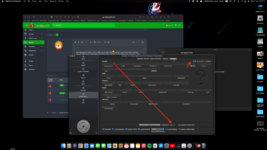
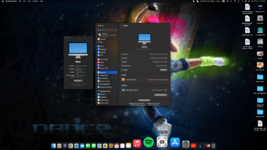
hey, I managed to install it, now I'm writing to you from there :D how do I know if everything is perfectly working? I saw that the video card is recognized correctly (RX580 +), the processor says "Unknown" I don't understand why ... the wifi I tried to use the Kext "itlwm" and it seems to work (for now I'm writing from Ventura :) what else should I check / install?
open core mount EFI. open config.plist with open core
Platform info
SMBIOS
put somthing like IMAC PRO 2017 OR NEWER. AND CHECK THE BOX
add this section in config.plist
 

Attachments

  • Screenshot 2022-06-15 at 07.23.12.png
    Screenshot 2022-06-15 at 07.23.12.png
    2.4 MB · Views: 48
hey, I managed to install it, now I'm writing to you from there :D how do I know if everything is perfectly working? I saw that the video card is recognized correctly (RX580 +), the processor says "Unknown" I don't understand why ... the wifi I tried to use the Kext "itlwm" and it seems to work (for now I'm writing from Ventura :) what else should I check / install?
 

Attachments

  • Screenshot 2022-06-15 at 07.23.12.png
    Screenshot 2022-06-15 at 07.23.12.png
    2.2 MB · Views: 34
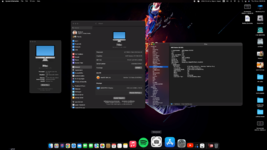
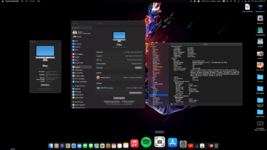
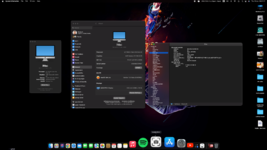
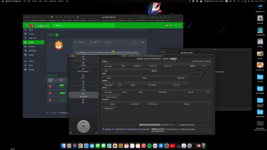
Bloetooth working on Ventura....:)(y)
 

Attachments

  • Screenshot 2022-06-16 at 08.06.09.png
    Screenshot 2022-06-16 at 08.06.09.png
    3.5 MB · Views: 44
  • Screenshot 2022-06-16 at 08.05.48.png
    Screenshot 2022-06-16 at 08.05.48.png
    3.6 MB · Views: 38
  • Screenshot 2022-06-16 at 08.05.27.png
    Screenshot 2022-06-16 at 08.05.27.png
    3.4 MB · Views: 41
VENTURA BETA 2 UPDATE ...
 

Attachments

  • Screenshot 2022-06-26 at 21.30.15.png
    Screenshot 2022-06-26 at 21.30.15.png
    7 MB · Views: 13
I trying to install on my machine, but always stuck on welcome screen, did I miss something?
creating USB installer working fine, installed finish, but after that on Welcome Screen only mouse cursor I see nothing no Region/Languange dialog box.


after 5 or 10 menit then will reboot itself

*using iMac Pro 1,1 as SMBios
*GPU RX 6650 XT
 
I trying to install on my machine, but always stuck on welcome screen, did I miss something?
creating USB installer working fine, installed finish, but after that on Welcome Screen only mouse cursor I see nothing no Region/Languange dialog box.


after 5 or 10 menit then will reboot itself

*using iMac Pro 1,1 as SMBios
*GPU RX 6650 XT
No PR files attached. Provide your EFI to check.
 
  • Like
Reactions: kaizer_hanz
No PR files attached. Provide your EFI to check.
here my EFI (upload without DSDT)
this config plist I use on monterey without problem, all smooth.
 

Attachments

here my EFI (upload without DSDT)
this config plist I use on monterey without problem, all smooth.
Your configuration is not as per the guide.

- Remove Utilities folder
- No SSDT added
- Invalid Kexts

To fix the above issue, remove #INFO (prev-lang:kbd) from NVRAM and clear the value of prev-lang:kbd and you should see the installer.
 
Your configuration is not as per the guide.

- Remove Utilities folder
- No SSDT added
- Invalid Kexts

To fix the above issue, remove #INFO (prev-lang:kbd) from NVRAM and clear the value of prev-lang:kbd and you should see the installer.
Thanks let me try your suggestion, once again thanks
 

Latest posts

Forum statistics

Threads
1,948
Messages
18,016
Members
27,807
Latest member
pomchik_games