• Become a Premium Member for $25/year with no ads to improve your community experience. Upgrade to Pro Account for faster response and no wait times!

  • We regret to inform you that our server had an unexpected catastrophic failure and we lost the recent backups as well. The last healthy backups was restored of February 24, 2025. Members who have already registered, please consider a reregistration. Once re-registered, the memberships will be restored for those who have purchased a membership. We'll continue to monitor and send emails to assist you to have you onboard. Any inconvenience is highly regretted. Thank you for your continued support and participations.

    Sincerely, EliteMacx86

Black screen when booting into installer

What do you mean?
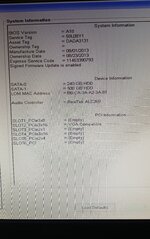
Boot to BIOS. When at the main page (where all the system related information is shown), take a picture and send it over here.
 

Attachments

  • 20250220_094127.jpg
    20250220_094127.jpg
    1.7 MB · Views: 2
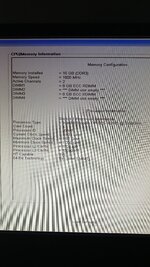
Is there any info on the CPU which can be checked from BIOS?
 
Great. Can you post the revised EFI?
 
What do you mean ?
 
Make the following changes:

Remove SSDT-EC-USBX-DESKTOP and replace it with SSDT-EC-DESKTOP.aml
Disable the CpuPm Table.
Set the SMBIOS to iMacPro1,1 for the time being.

Ensure that you're running A19 BIOS version.

Try booting Big Sur or Monterey/Ventura.
 

Trending content

Forum statistics

Threads
1,926
Messages
17,856
Members
27,670
Latest member
Abdel11