• Become a Premium Member for $25/year with no ads to improve your community experience. Upgrade to Pro Account for faster response and no wait times!

Cannot boot from USB after updating OC root patches (errantly)

earnric

New member
Premium Member
Joined
Dec 14, 2025
Messages
8
Motherboard
Gigabyte Z690 AERO G DDR4
CPU
16-Core Intel i9-12900K
Graphics
AMD Radeon Pro W5700
OS X/macOS
13.x
Bootloader
  1. OpenCore (UEFI)
Mobile Phone
  1. Android
I have an intel hackintosh that was fine on Ventura for some time. I decided to update to Sequoia and followed the instructions. My WiFi was extremely slow -- and ethernet was working, but then remembered I should update OC root patches. I stupidly updated the model to MacPro7,1 -- the mac I was emulating -- while doing the patch update. Now that machine won't boot. I get to the OC picker -- it show's my disk -- but won't respond to 'spacebar to show the other options' ... nor will it boot: I get the "support.apple.com/mac/startup" message after it tries to boot from the disk.

I then went into the bios to force the system to show me the OC installer I put on a usb stick. I made it the first and only priority in the BIOS boot order -- disabling all other boot sources. It STILL just boots to the drive (showing me the Sequoia drive icon) with NO option to boot from the USB stick (that the bios sees BTW).

I have alder lake CPUs, a radeon 5700 card, that all were working... Now I can't get the system to give me either the USB or Terminal boot prompts.

Any ideas?
 
I have an intel hackintosh that was fine on Ventura for some time. I decided to update to Sequoia and followed the instructions. My WiFi was extremely slow -- and ethernet was working, but then remembered I should update OC root patches. I stupidly updated the model to MacPro7,1 -- the mac I was emulating -- while doing the patch update. Now that machine won't boot. I get to the OC picker -- it show's my disk -- but won't respond to 'spacebar to show the other options' ... nor will it boot: I get the "support.apple.com/mac/startup" message after it tries to boot from the disk.
There is no need of emulation for hacks. As the WiFi support was dropped since Sequoia, you were just supposed to update OC+EFI+follow the WiFi guide (to add necessary properties and kexts and patches to your config.plist) and then run root patch.

I then went into the bios to force the system to show me the OC installer I put on a usb stick. I made it the first and only priority in the BIOS boot order -- disabling all other boot sources. It STILL just boots to the drive (showing me the Sequoia drive icon) with NO option to boot from the USB stick (that the bios sees BTW).
Seems like your kexts are either out of date or IOSkywalkFamily is not blocked.

Any ideas?
Attach your EFI to check. If you don't have Windows/Linux to mount the ESP, or have a backup of the last EFI you made changes to, attach the EFI from the USB that you're trying to boot.
 
  • Like
Reactions: earnric
There is no need of emulation for hacks. As the WiFi support was dropped since Sequoia, you were just supposed to update OC+EFI+follow the WiFi guide (to add necessary properties and kexts and patches to your config.plist) and then run root patch.
Yeah that was my big mistake... I don't know why I did this. It wasn't in the instructions. I was also looking at another video on ethernet.

Attach your EFI to check. If you don't have Windows/Linux to mount the ESP, or have a backup of the last EFI you made changes to, attach the EFI from the USB that you're trying to boot.
Here's my EFI backup -- before the install (EFI.zip. Had to delete AirportItlwm-Monterey.kext and AirportItlwm-BigSur.kext since there were still there but disabled in OC -- made the file too big) ...
 

Attachments

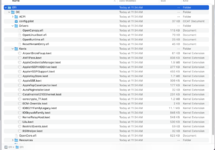
FYI, I built the installer on my Macbook Pro and this is what the EFI looks like:

1765823992023.png

But again, I can't get the desktop to boot from any USB -- even tho the BIOS sees the drive when I have it plugged in...
 
Yeah that was my big mistake... I don't know why I did this. It wasn't in the instructions. I was also looking at another video on ethernet.
What do you mean by another video on ethernet? On blocking the IOSkywalk, you cannot use the driverkit. So, you'll have to use a kext for Ethernet.

Here's my EFI backup -- before the install (EFI.zip. Had to delete AirportItlwm-Monterey.kext and AirportItlwm-BigSur.kext since there were still there but disabled in OC -- made the file too big) ...
Set ResizeAppleGpuBars to -1 and disable Resize BAR in BIOS. You may have to fix the DMAR table again.
Remove all Device Properties
Remove BrcmBluetoothInjector.kext from config.plist
Remove AirportBrcmFixup.kext/Contents/PlugIns/AirPortBrcm4360_Injector.kext from config.plist
Add AppleIGC.kext
Remove CustomSMBIOSGuid
Set UpdateSMBIOSMode to Create

There are still a few errors but have outlined the most relevant ones.

What is your WiFi/BT Card model?
 
FYI, I built the installer on my Macbook Pro and this is what the EFI looks like:

View attachment 9924

But again, I can't get the desktop to boot from any USB -- even tho the BIOS sees the drive when I have it plugged in...
See the last reply. When you boot via USB, here's what you need to do:

1. Boot to Boot Menu
2. Boot using USB
3. At picker, press right arrow key immediately and boot using Macintosh HD

If you miss the order or cause delay, it will fallback to internal drive and keep booting from that.

Also, it would be nice if you can enable verbose and provide a video.
 
  • Like
Reactions: earnric
Ok... let me make a video.

I'm really rusty at this. I created the orig config like 3+ years ago and haven't looked at it since.
 
What do you mean by another video on ethernet? On blocking the IOSkywalk, you cannot use the driverkit. So, you'll have to use a kext for Ethernet.
I was watching a youtube video on patching the ethernet on sequoia... That got me screwed up (following two sets of instructions: the guide and a video...)

[edited... I'm using the BIOS boot loader now -- or trying too... ]
 
Last edited:
SO without accessing the USB, I don't know how I'm going to use the updated plist, efi stuff... I can't get anything to/from the MacPro.

Lots of dead time in the video. I'm not sure this is what you wanted, but no key presses have any effect other than del to get into the Bios.
 

Attachments

Ok you wanted me to try an boot the USB from the BIOS menu, not the OCLP menu. I missed that.

I tried but it just keeps coming back to the BIOS usb chooser... it thinks for about 10 sec, then pops the BIOS drive picker up again.

I'm going to rebuild my USB OCLP Install USB stick right now and try again...
 
Last edited:

Forum statistics

Threads
2,151
Messages
19,884
Members
30,410
Latest member
g.gott81