
• Become a Premium Member for $25/year with no ads to improve your community experience. Upgrade to Pro Account for faster response and no wait times!

Need help with Cirrus Logic CS8409 on Inspiron 3505

In that case, you can use VoodooHDA.
Hi
Today I tried VoodooHDA, and it sadly doesn't work. No audio output devices are shown although SIP is disabled and VoodooHDA loads up in Security and Privacy in preferences. But everything shows "No VoodooHDA output devices found".

Attached below screenshot of Hackintool Sound tab after installing VoodooHDA.
I feel it is only showing my Laptop's HDMI audio controller (Realtek) not the Cirrus Logic which is used for mic and sound output and even AUX.
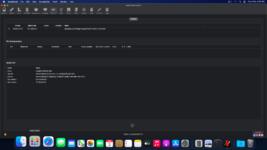
1770103653886.png


Kindly suggest next steps to take. Thanks.
 
Hi
Today I tried VoodooHDA, and it sadly doesn't work. No audio output devices are shown although SIP is disabled and VoodooHDA loads up in Security and Privacy in preferences. But everything shows "No VoodooHDA output devices found".

Attached below screenshot of Hackintool Sound tab after installing VoodooHDA.
I feel it is only showing my Laptop's HDMI audio controller (Realtek) not the Cirrus Logic which is used for mic and sound output and even AUX.
View attachment 9977


Kindly suggest next steps to take. Thanks.
That's right.

See here for the useful post by @Max.1974
 
That's right.

See here for the useful post by @Max.1974
Not working.
Maybe I'm using it wrong, on clicking it it gives me a number of files and I've no idea what to do with them.
There's one file that upon clicking gives 4 .pkg files. I've installed all of the .pkgs and it did nothing.

A better explained install instruction will be appreciated. OP's install guide is unclear, and brief.
Thanks.
 

Trending content

Forum statistics

Threads
2,191
Messages
20,102
Members
30,694
Latest member
Royen