
How to Enable Clean NVRAM Option in OpenCore
To reset NVRAM to clear the variables, you'll need to enable the Reset NVRAM option in OpenCore. Clean NVRAM is a Reset NVRAM alternative, bundled as a standalone and is supposed to be used in cases where Reset NVRAM doesn't work. To enable the Clear NVRAM option, follow the steps below.STEP 1: Determine the OpenCore version

STEP 2: Depending on your OpenCore version, download the appropriate OpenCore package. Only, if you haven't followed the basic EFI Creation guide.
STEP 3: Mount your ESP.
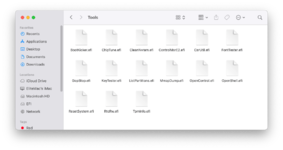
STEP 4: Copy the entire
Tools directory from the X64/EFI/OC directory to your EFI/OC in the ESP. Only, if the .efi files doesn't exists in the Tools directory.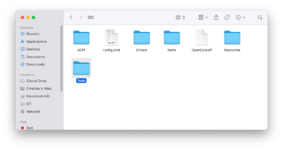
STEP 5: Open your config.plist using any XML editor.
STEP 6: Add
CleanNvram.efi entry in the Misc>Tools section of your config.plist.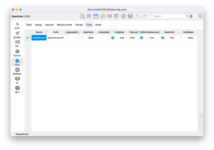
NOTE: If you have the
Hide Auxiliaries option enabled, you can also enable the Auxiliary option to set it as an Auxiliary entry.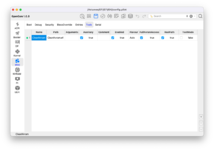
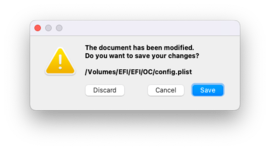
STEP 7: Save your config.plist
QUICK INFO:
When theHideAuxiliaryandAuxiliaryoption isEnabled, you need to press theSpace Bar Keyon your Keyboard to show all the other options in the picker.
See How to Reset NVRAM using OpenCore

GUIDE - How to Reset NVRAM [Clover/OpenCore]
How to Reset NVRAM [Clover/OpenCore] This guide describes how to reset NVRAM using Clover and OpenCore. By following this guide, you'll be able to reset NVRAM for Clover or OpenCore bootloader. A reset of NVRAM might be required in several cases to clear off the variables stored in the NVRAM. To...
 elitemacx86.com
Last edited:


