• Become a Premium Member for $25/year with no ads to improve your community experience. Upgrade to Pro Account for faster response and no wait times!

  • We regret to inform you that our server had an unexpected catastrophic failure and we lost the recent backups as well. The last healthy backups was restored of February 24, 2025. Members who have already registered, please consider a reregistration. Once re-registered, the memberships will be restored for those who have purchased a membership. We'll continue to monitor and send emails to assist you to have you onboard. Any inconvenience is highly regretted. Thank you for your continued support and participations.

    Sincerely, EliteMacx86

Guide to install Monterey 12.2.1 in a Acer Aspire ES1-572 - All Working Wi-Fi & Bluetooth - Opencore 0.7.8 - BCM94360NG

fernandocneves

New member
Joined
Mar 15, 2021
Messages
1
Motherboard
T-rex
CPU
i5 6200u
Graphics
Intel HD 520
OS X/macOS
13.x
Bootloader
  1. OpenCore (UEFI)
Mac
  1. MacBook Pro
Mobile Phone
  1. Android
  2. iOS
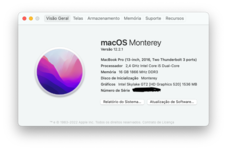
1411163178_CapturadeTela2022-02-12s08_22_37.png.4a8966723554a9a35c04d857c98601c0.png Install Guide to install macOS Monterey 12.2.1 with everything working Out-Off-The-Box

  1. Download macOS Monterey 12.2.1 from Apple Store
  2. format an USB 16Gb or Bigger
  3. Type in Terminal:
    • diskutil eraseDisk JHFS+ "macOS Monterey Installer" /dev/pathtoUSB
    • cd /Applications/Install macOS Monterey/Content/Resources
    • ./createinstallmedia --volumes /Volumes/"macOS Monterey Installer"
  4. After completion, use this EFI folder:
    • mkdir /Volumes/EFI
    • mount -t msdos /dev/disk?s1 /Volumes/EFI
  5. Open Finder (/Volumes/EFI)
  6. copy EFI directory provided in this folder
  7. Restart and boot macOS Monterey Installer

https://drive.google.com/file/d/1kLkOJ0UV-03uyA1hiLKTWtG1qpRsvjg2/view?usp=sharing ==> EFI folder with Opencore 0.7.8 - All Working

This is a JMicron SD Card Reader Driver for Monterey 12.2.1 https://github.com/chris1111/JMicron-Card-Reader/raw/main/JMicron-Card-Reader.pkg.zip

AppleALC => boot-args => alcid=15 - ALC235 (Works Laptop Speaker + Microphone + HDMI)

Wi-Fi & Bluetooth => BCM94360NG m.2 (Replaced from Original) works Out-Off-The-Box.

LCD 1366x768 replaced by 1920x1080p LCD.

Battery Status Working.

Siri working.

Screen Mirroring working.

Hibernation working.

USB 3.0 working.

AirPlay 2 Working.
AirDrop Working.

What is working?
Everything!!!

What's not working?
Nothing!!!

Successfully Hackintosh with dual-boot with Latest Windows 11 Home single language PT-BR 21H2. Used Rufus to build an USB with Windows 11 installation without TPM 2.0 Check.
OpenCore 0.7.8 + DSDT.

Geekbench 4 score (7148) https://browser.geekbench.com/v4/cpu/16447850

Acer Aspire ES1-572 - i5 6200U - 16GB Ram 1866Mhz - Intel HD Graphics 520 - Display: 15.6" 1920x1080p - 2x SSD Kingston 240GB each
MacOS Monterey 12.2.1 - Everything works - BCM94360NG m.2 Wi-Fi + Bluetooth Plug&Play + SideCar. Dual Boot with
Windows 11 Home Single Language.

iPhone 7 128Gb - IOS 15.3.1
iPad mini 2 - iPadOS 12.5.5
Apple Watch Series SE - WatchOS 8.4.1

MacBook Pro 13 Retina (Early 2015) - macOS Monterey 12.2.1 - 512GB Nvme SSD (3gb/s Read & 1.4gb/s Write) - 8GB 1866Mhz Ram Dual Boot (BootCamp) with Windows 11 Home Single Language.
 
Last edited:
  • Like
Reactions: EliteMacx86
View attachment 4090Install Guide to install macOS Monterey 12.2.1 with everything working Out-Off-The-Box

  1. Download macOS Monterey 12.2.1 from Apple Store
  2. format an USB 16Gb or Bigger
  3. Type in Terminal:
    • diskutil eraseDisk JHFS+ "macOS Monterey Installer" /dev/pathtoUSB
    • cd /Applications/Install macOS Monterey/Content/Resources
    • ./createinstallmedia --volumes /Volumes/"macOS Monterey Installer"
  4. After completion, use this EFI folder:
    • mkdir /Volumes/EFI
    • mount -t msdos /dev/disk?s1 /Volumes/EFI
  5. Open Finder (/Volumes/EFI)
  6. copy EFI directory provided in this folder
  7. Restart and boot macOS Monterey Installer

https://drive.google.com/file/d/1kLkOJ0UV-03uyA1hiLKTWtG1qpRsvjg2/view?usp=sharing ==> EFI folder with Opencore 0.7.8 - All Working

This is a JMicron SD Card Reader Driver for Monterey 12.2.1 https://github.com/chris1111/JMicron-Card-Reader/raw/main/JMicron-Card-Reader.pkg.zip

AppleALC => boot-args => alcid=15 - ALC235 (Works Laptop Speaker + Microphone + HDMI)

Wi-Fi & Bluetooth => BCM94360NG m.2 (Replaced from Original) works Out-Off-The-Box.

LCD 1366x768 replaced by 1920x1080p LCD.

Battery Status Working.

Siri working.

Screen Mirroring working.

Hibernation working.

USB 3.0 working.

AirPlay 2 Working.
AirDrop Working.

What is working?
Everything!!!

What's not working?
Nothing!!!

Successfully Hackintosh with dual-boot with Latest Windows 11 Home single language PT-BR 21H2. Used Rufus to build an USB with Windows 11 installation without TPM 2.0 Check.
OpenCore 0.7.8 + DSDT.

Geekbench 4 score (7148) https://browser.geekbench.com/v4/cpu/16447850

Acer Aspire ES1-572 - i5 6200U - 16GB Ram 1866Mhz - Intel HD Graphics 520 - 2x SSD Kingston 240GB each
MacOS Monterey 12.2.1 - Everything works - BCM94360NG m.2 Wi-Fi + Bluetooth Plug&Play + SideCar. Dual Boot with
Windows 11 Home Single Language.

iPhone 7 128Gb - IOS 15.2
iPad mini 2 - iPadOS 12.5.5
Apple Watch Series SE - WatchOS 8.3

MacBook Pro 13 Retina (Early 2015) - macOS Monterey 12.2.1 - 512GB Nvme SSD (3gb/s Read & 1.4gb/s Write) - 8GB 1866Mhz Ram Dual Boot (BootCamp) with Windows 11 Home Single Language.
This is sick! Kudos:)
 
what is the point of inserting a link to EFI files and then blocking access to it and not responding to requests for access
 
what is the point of inserting a link to EFI files and then blocking access to it and not responding to requests for access
Read here:

Also, you should fill in your system specs in your profile.
 

Latest posts

Forum statistics

Threads
1,948
Messages
18,016
Members
27,807
Latest member
pomchik_games